
Cloud platform's IP address and Whitelisting
Cloud Server IP Addresses
For any incoming connections from our servers to yours, please instruct your IT team to whitelist the below IPs (depending on where your account is hosted) to ensure reliable connectivity through corporate firewalls.
All cloud services run behind the IP addresses 40.113.127.95 and 52.157.152.68
When Should You whitelist the FormsFly IPs?
We recommend allowing the IP addresses in your corporate network rules for:
- Third-Party API Integrations: Preventing custom webhooks or automated triggers (e.g., Make.com, Zapier) from being blocked by strict firewall filters.
- Corporate Firewalls: Ensuring uninterrupted access for internal teams working behind enterprise-grade firewalls.
Email IP Addresses
We currently use SendGrid as our email provider for all emails (regardless of hosting location) sent from our platform (user invite emails, email connectors, etc.).
All emails are currently sent through a single shared IP address:
- 167.89.59.142
| We recommend adding this IP address to your white list email filter rules and network controls. |
If you are generating emails from our platform using your domain as the "From" sender, then ensure you review our documentation on how to set up an SPF rule to enhance deliverability.
IP Whitelisting Specified Areas of the FormsFly Environment
An admin user can optionally create rules that apply access restrictions to the specified areas based on the IP address of the requesting user or program, by navigating the left side menu to My Account > Organization Setup > Security.
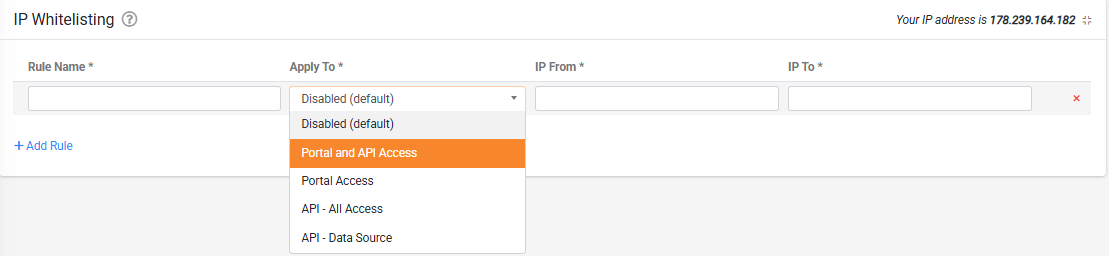
If no rules are defined for the given area, then all IP addresses are permitted.
| Note: Users with Enterprise Admin access level are exempted from Portal restriction rules to ensure continuity of access. |