
Flow Layout Field
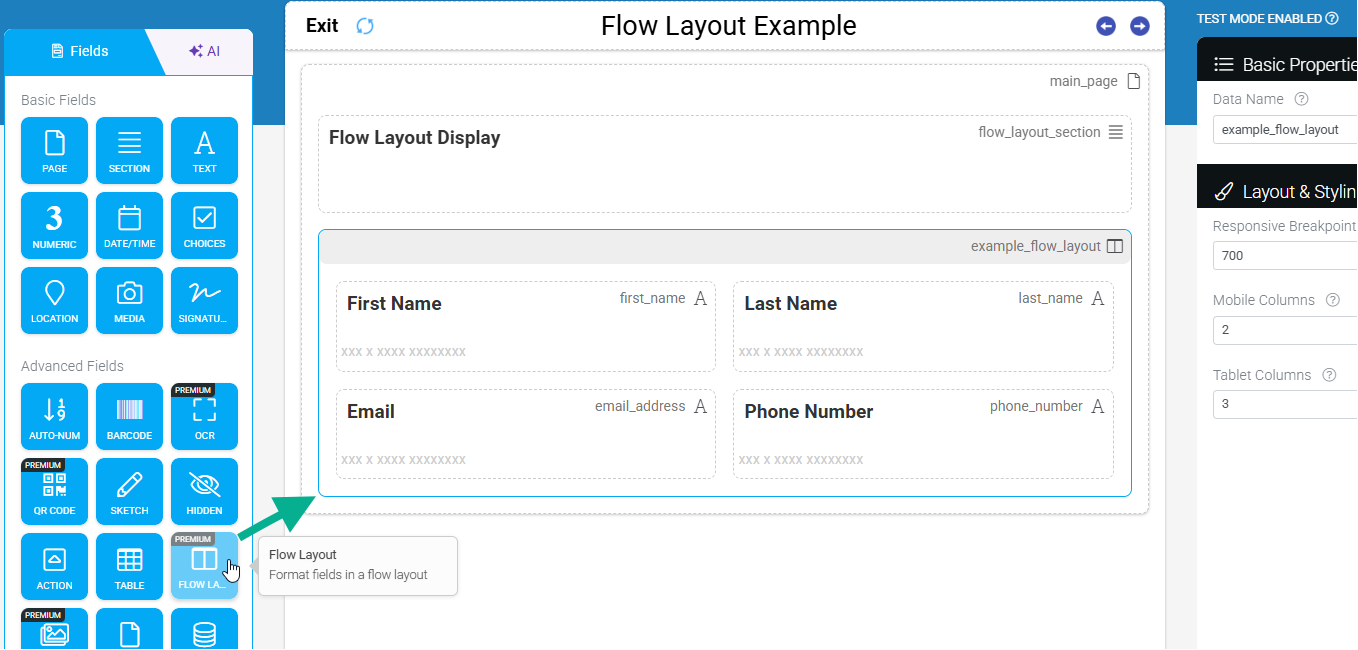
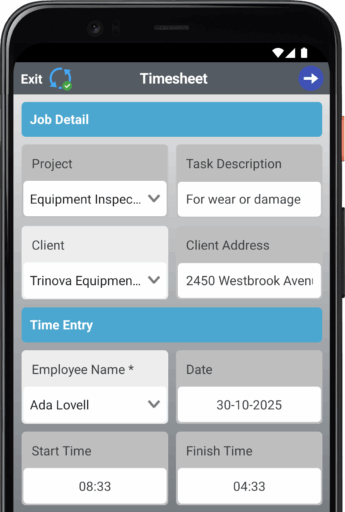
The Flow Layout field acts as a responsive container that allows you to group fields into side-by-side columns or grids. It is the primary tool for optimizing screen real estate, moving away from a single-column “stack” to a more professional, dashboard-style interface.

 |  |
Use Cases
Flow Layout is best utilized when data inputs are short (e.g., numbers, toggles, or dates) and don’t require the full width of the screen.
- Inspection Forms: Display metrics like Oil Level, Pressure, and Temp side-by-side for quick entry.
- Equipment Details: Group Serial Number, Model, and Status in a single row.
- Media Galleries: Organize multiple photo or file upload fields into a clean grid.
- Status Dashboards: Align “Pass/Fail” indicators or “Good/Fair/Poor” metrics for rapid assessment.
Configuration Settings
The layout behaviour is dictated by the Responsive Breakpoint, which determines when the app switches from “Mobile” rules to “Tablet” rules.
| Property | Description | Constraint |
| Responsive Breakpoint | The pixel width that defines where a “Mobile” screen ends and a “Tablet” screen begins. | User-defined (px) |
| Mobile Columns | The number of columns displayed on screens below the breakpoint. | Fixed at 2 |
| Tablet Columns | The number of columns displayed on screens above the breakpoint. | 2 to 4 |
Best Practices for Design
To ensure your forms remain accessible and easy to navigate, follow these design principles:
 | Do |
- Logical Grouping: Only place related fields (e.g., Address Line 1 and Address Line 2) in the same container.
- Visual Balance: Use fields of similar height. Pair a Text Input with a Dropdown, rather than a Checkbox with a Signature field.
- Test on Devices: Always preview the form on a physical mobile device to ensure the 2-column mobile layout isn’t too cramped for the specific field labels.
 | Avoid |
- Mixing Control Sizes: Placing a large Multi-line Text Area next to a small Toggle creates awkward whitespace and alignment issues.
- Overcrowding: Just because you can use 4 columns on a tablet doesn’t mean you should. If your labels are long, stick to 2 or 3 columns.
- Ignoring Labels: Remember that long field labels will wrap, potentially pushing fields out of alignment horizontally.