
App Printing & HTML Templates
This is useful when you need to print a receipt, a label, or a report while out in the field, even offline. The layout and formatting of the printed output are controlled exclusively through HTML. You use the standard Data Template syntax in your HTML to inject Form entry answers and other dynamic values.
 | HTML Template Only HTML is supported for app printing. Word and Excel templates are NOT supported for app printing. |
You can enable this feature by populating the HTML Template property in the App Printing area on the Settings page of a Data Entry Form.
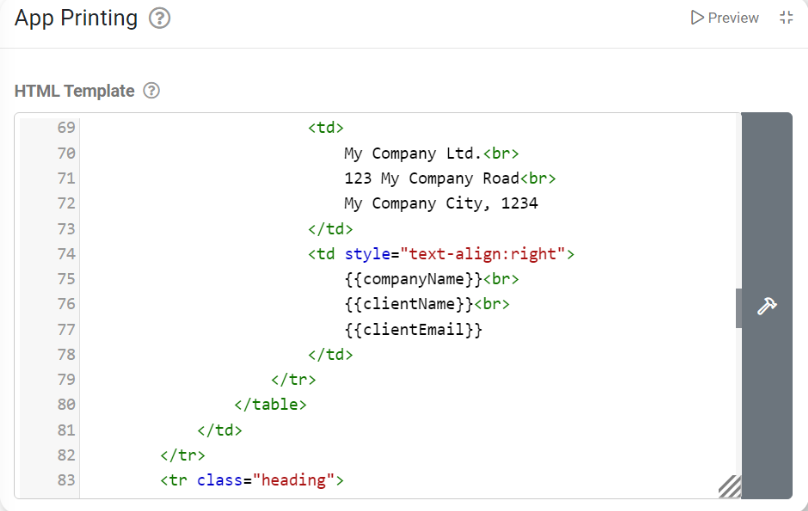
Once populated, form entries can be printed from the app in the following ways:
- Via the ‘Upload and Print’ button that automatically appears on a Form’s app submission page with an HTML template defined.
- A ‘Print’ button is available when reviewing a completed Form entry in the app History area.
- From an ‘Upload Form and Print’ user interaction configured on Action button fields or a Process Field type.
On the web portal, entries can also be printed when viewing them in the Data Entries area after uploading.
Image Support
HTML <img> tags are supported to render images into your template. We keep adding any images/sketches/signatures captured in your form and the company letterhead configured on the Organisation Setup page.
We also support embedding base64 encoded images, should you need to use images other than those mentioned above, while ensuring this feature can be used offline.
You can specify exact dimensions for your images by using CSS, for example:
<img src="imagegoeshere*" style="width:200px; max-width:400px; height:150px; max-height: 300px;"/>We do not recommend using URLs to images on the internet, as this will not work when the app is offline.
Below are a few examples of adding images from different sources to your template:
Organisation Letterhead Example
The organization letterhead image can be accessed simply by using the ORGLETTERHEAD built-in as the value of the src attribute.
Form Entry Image Example
You need to use the FILEURL formula for images captured in your form. You must also wrap the formula in {( and )} characters to indicate that it’s a formula and not plain text. {{dataname}} in the example below refers to the dataname of an image or sketch field within your form.
<img src="{( FILEURL( {{dataname}} ) )}"/>Base64 Embedded Image Example
Base64 encoding is an encoding scheme that allows you to store data (in this case, image data) in text format. This will enable you to embed any image into your template without an active internet connection.
You can convert images to base64 encoding using one of the many online tools available (such as https://www.base64-image.de/).
This will produce a string that looks like data:image/png;base64, followed by many characters representing the image data. It’s essential to place this whole string of characters into the src attribute exactly as generated for this to work.
<img src="data:image/png;*,[Large String of Characters]"/>Repeats and Optional Sections
The use of {{!REPEATSTART}} and {{!REPEATEND}} is supported, as well as {{!HIDEIFSTART(condition)}} and {{!HIDEIFEND}} placeholders in your template to render repeating sections and show/hide sections of the output based on Form Entry fields and Formulae.
We do not, however, support the use of {{!REPEATROW}} and {{!HIDEROWIF}} placeholders.
For Example:
{{!HIDEIFSTART( COUNT({{repeatPage}}) = 0) }}
{{!REPEATSTART}}
{{repeatField}}
{{!REPEATEND}}
{{!HIDEIFEND}}
App Printing Sample
When logged into your account’s web portal, you can find and install a simple-to-use Examples Catalog App, “App Printing Sample,” that showcases the abovementioned functionality.
Once installed, navigate to the form’s Settings to view the HTML Template and how it correlates to its design. Then, jump into the app and test it out.
In-app and device process outlined:
- Fill out the form
- Upload & Print
- Choose a configured printer (device options). If your device has no printer configured, it should prompt you to save as a PDF.
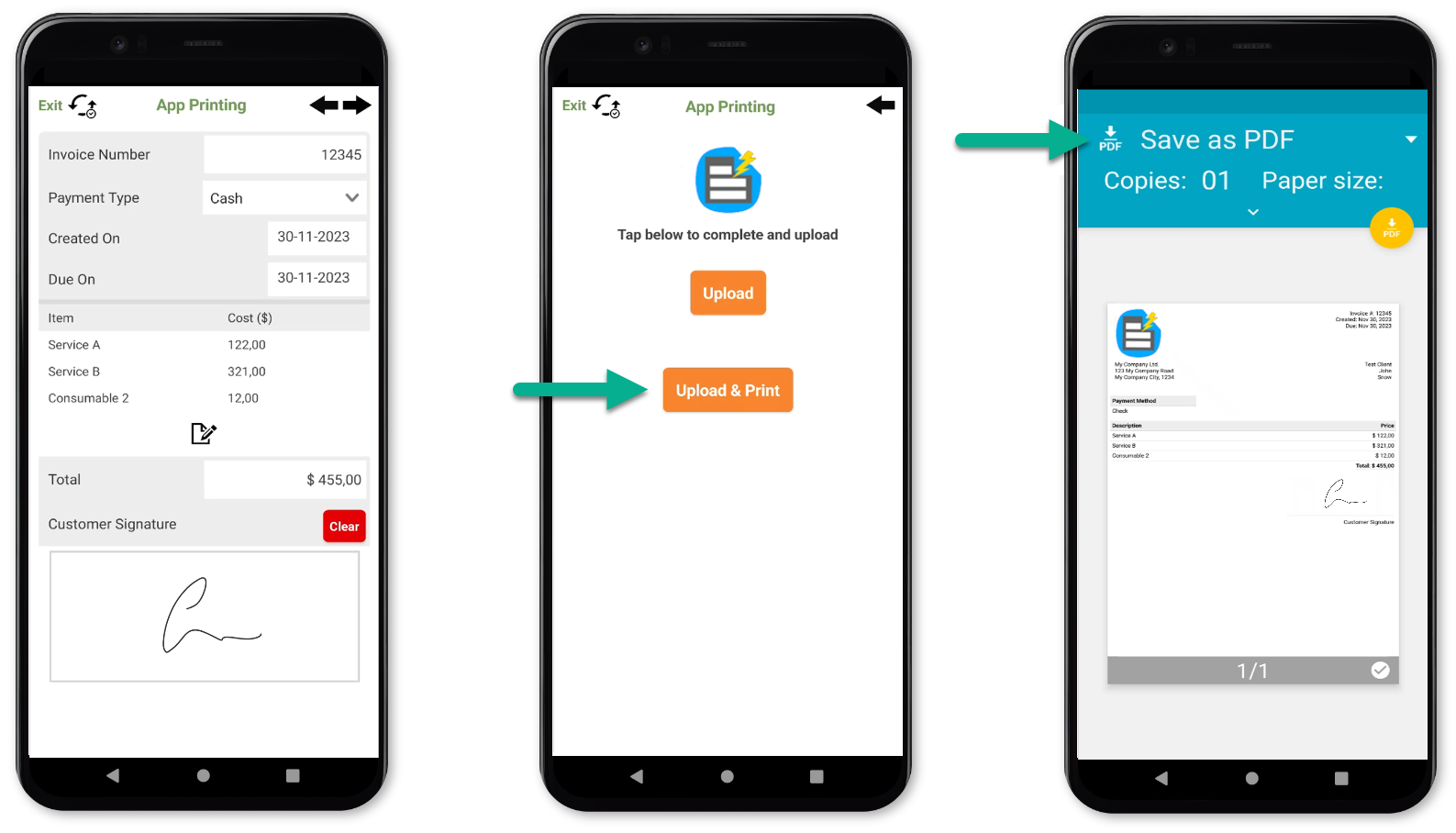
 | JSFiddle A great resource for testing your HTML layouts and viewing the changes quickly. |